

Updated: November 2026
Estimated reading time: 10 minutes
Key Takeaways
- Prepare for your Broadband Installation by sorting permissions and equipment placement ahead of the engineer’s visit.
- Check your exact address for full-fibre availability and confirm installation fees before ordering.
- Plan the locations of your ONT and router for optimal Wi-Fi coverage, involving your provider in the discussion.
- On installation day, confirm the final cable route with the engineer and test all connections before they leave.
- Follow steps for a smooth installation day, including clearing work areas and having someone over 18 present during the visit.
Table of contents
What You Need to Know First
- Sort out permissions, equipment placement and access before your engineer arrives. That way, your full fibre installation goes smoothly, safely and without delays.
- Agree cable routes and drilling points before work starts. Test Wi-Fi, wired connections and digital phone services before the engineer leaves.Check our Guides and Blogs for the latest updates.
- Confirm full-fibre availability at your exact address, get landlord or wayleave approval, and check installation fees before you order.
- Let your new provider handle the switch. Check digital-phone, alarm and telecare compatibility, including backup power for power cuts.
- Choose an ONT and router location with mains power nearby. A central, open router position gives you stronger Wi-Fi coverage.
- Before the visit, have an adult home, clear indoor and outdoor work areas, flag any access issues and arrange backup internet if you need it.
Worried about the drilling, cables and unfamiliar equipment? Don’t be. The engineer visit usually takes just one to three hours, and a little preparation puts you firmly in control. [-5]
Whether you are arranging an Openreach Full Fibre installation, a BT Full Fibre Broadband installation or checking Sky Full Fibre Broadband installation costs, we will walk you through the full process. You will find out how full fibre broadband is installed, where the full fibre box and cable go, and exactly what to expect on the day.
Step 1: Sort Out Permissions and Service Changes
Before you place a full fibre order, check what can actually be fitted at your exact address. Find out how the switch will affect your current services too. Get this wrong and you risk a cancelled appointment, or worse, an unexpected loss of phone service on the day.
Check Full Fibre Availability and Whether an Engineer Visit Is Needed
Use your chosen provider’s address checker. Then compare the result with the network operator’s checker. A street may have fibre optic broadband while your individual property is still unconnected. Always check that the package is labelled full-fibre, not part-fibre, cable or copper.
Does your home already have a full fibre box? This is also called an Optical Network Terminal, or ONT. If one is already fitted and can be activated remotely, no engineer visit may be needed. Otherwise, an engineer will come and install the new connection. Availability and planned build dates can change, so always check your own address rather than relying on a neighbour’s result.
Get Approval for Drilling or Work in Shared Areas
Do you rent? Get your landlord’s written approval before the installation goes ahead. The engineer may need to drill a small hole through an external wall and fit a junction box outside.
For a flat, contact the managing agent or freeholder early. Fibre routed through communal corridors, risers or outside walls may need a wayleave, which gives the network operator permission to install and maintain its equipment. Keep that approval ready on installation day.
Check Installation Fees and What Your Order Includes
Read the contract summary before you accept the order. It should clearly show the package, minimum term, monthly charge, any price changes and one-off fees. Installation charges depend on the provider and package, and the provider must confirm them before the appointment.
Compare speeds, contract terms and included equipment alongside the price. Look at Broadband Freedom’s current offers to find the best deal and installation package for your home.
Agree When Your Old Broadband and Phone Service Will Switch
Tell your new provider who currently supplies your broadband and whether you want to keep your phone number. Under One Touch Switch, you contact the new provider only. Your old service continues until the replacement is working, then ends automatically. Any interruption must not exceed one working day.
Do not cancel your old service yourself unless your provider tells you to. Ask whether your phone package includes calls, as some full fibre packages provide broadband only.
One important date to know: traditional phone lines will move to internet-based calling by 31 January 2027. Your phone may connect to the router rather than its former wall socket.
Check Alarm and Telecare Compatibility, Including Power-Cut Support
This step matters. Tell your broadband and phone provider about any personal alarm, telecare unit, intruder alarm, CCTV, door-entry system or other device currently connected to your phone line. Then check with the equipment provider whether the exact model works with an internet-based phone service. A compatible device may need an adaptor or a full replacement.
Ask what backup power your router, ONT and phone service will have during a power cut. A telecare unit’s battery alone will not keep a broadband connection running. Once your service changes, test the alarm with its monitoring centre. Do not skip this step.
Step 2: Plan Where Your ONT and Router Will Go
Permissions sorted? Good. Now decide where your equipment will sit before the installation day arrives. Getting this right saves time and avoids last-minute changes on the day.
What does the ONT actually do?
The ONT, or Optical Network Terminal, is the wall-mounted full fibre box where your incoming fibre cable converts into an Ethernet connection. Think of it as the entry point for your full fibre service. Your router then plugs into the ONT’s internet port and handles all your Wi-Fi and wired connections throughout the home.
One important point — the ONT does not create Wi-Fi. Moving it will not improve your wireless signal. Keep its power supply and fibre fittings untouched once fitted. Unplug the ONT and your broadband stops. Simple as that.
Where should your router go?
Choose the router position first. This decision has the biggest impact on your everyday Wi-Fi coverage.
- Place it in an open, central spot — not buried in a cupboard
- Think about the rooms where you use phones, laptops, TVs or consoles most
- Both the ONT and router need mains power, so check for a nearby double socket
- Keep the two units close together where possible, using the supplied Ethernet cable
You can place your router further away if your provider agrees and you have the right cabling in place. Just do not hide either unit behind fixed furniture. You need to reach the plugs, cables and status lights without difficulty.
Talk to your provider about cable routes
Tell your provider your preferred equipment location before the visit. Ask whether the cable route works for your property.
The engineer will look at the external junction box, entry point and internal cable run to the ONT. What you want is a request, not a guarantee — routing depends on what is technically possible at your home. If a particular position or route concerns you, raise it with your provider before the engineer arrives. Sorting this early prevents any disagreement on the day.
Step 3: Your Pre-Visit Checklist
A little preparation on your side makes the engineer’s job easier and keeps things moving on the day.
Confirm the appointment and make sure an adult is home
Check your installation confirmation for the date, address and arrival window. Someone aged 18 or over must stay home throughout the visit. Keep your phone charged — engineers often call ahead before they arrive. If your plans change, contact the provider that bills you straight away to rearrange.
Flag any access issues before the day
Locked gates, building work, scaffolding, permit parking or a narrow driveway can all cause delays. Tell your provider in advance so the engineer can come prepared.
Clear the work areas — inside and outside
Move bins, furniture, plants and any stored items away from the outside wall and your indoor fitting point. The engineer needs clear, safe access to both.
Check your router has arrived
Your router may arrive up to three days before the confirmed date. Unpack it and keep the power lead and Ethernet cable to hand — you will need them on installation day.
Keep pets and children clear of the work area
Put pets in a separate room. Keep children away while the engineer works with ladders, tools and cable runs.
Need to stay connected during the visit?
Have mobile data ready for any essential calls or messages. A short gap in service is possible, so it is worth having a backup plan.
Step 4: Installation Day and Handover
The engineer is on the way. Here is what to do from the moment they arrive to the moment they leave.
Agree the final cable route and drilling points with the engineer
Before any work starts, walk through the proposed route with the engineer. Confirm the path from the local network to the external junction box and the entry point into your home. Ask to see the exact drilling position before they pick up a tool.
The engineer will ask for your consent before any drilling or digging begins. Do not skip this step. Once a hole is made, it cannot be undone.
Know what happens during external cabling and ONT fitting
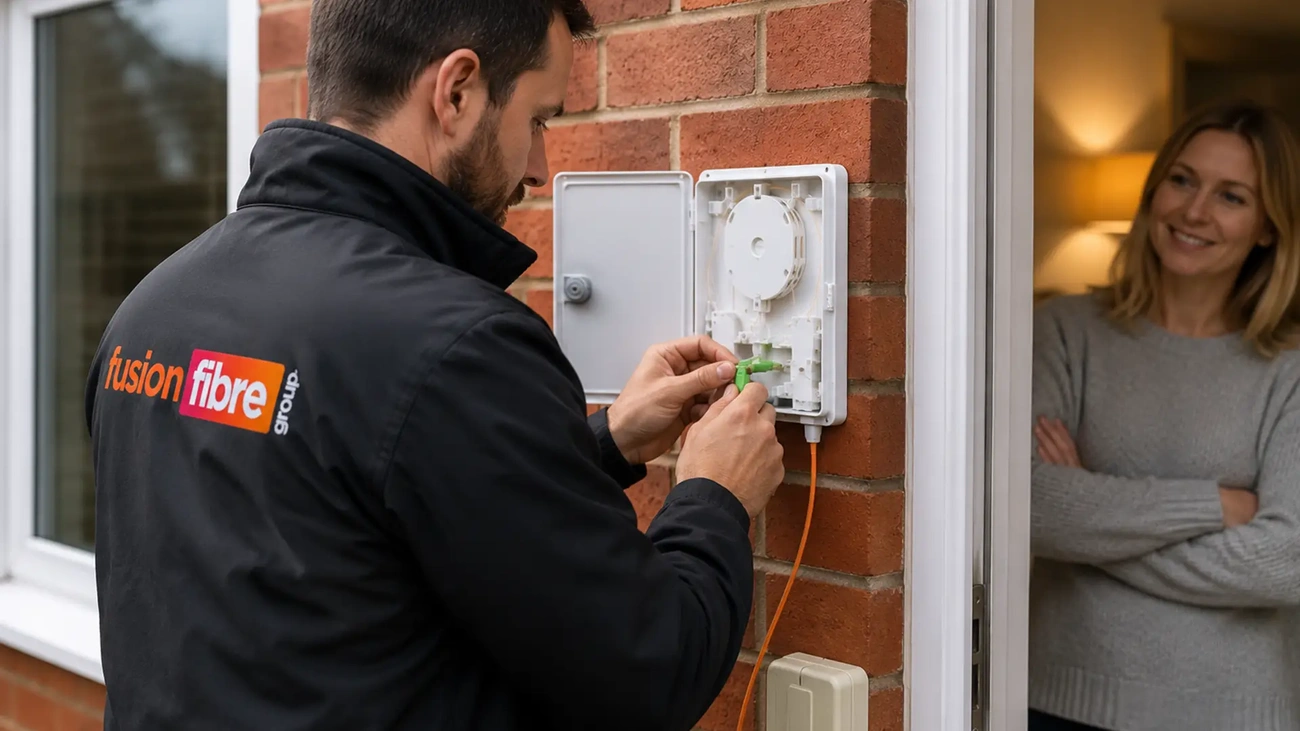
The full fibre cable runs from an overhead pole or underground network to an external box, then enters the property and connects to the ONT. A typical visit can take up to three hours. Do not worry if work takes a while — getting it right matters more than getting it done quickly.
Test a wired connection, Wi-Fi and any digital phone service
Do not let the engineer leave until you have tested everything yourself.
- Connect a device and open a webpage through Wi-Fi
- Test a wired device if you use one
- If your package includes a digital phone service, plug in your handset and make a call
- Check that the status lights on both the router and ONT show normal operation
If anything fails, raise it immediately while the engineer is still on site.
Contact your provider if work is delayed or the connection fails
Work cannot always finish in one visit. If tests fail or the connection drops after the engineer leaves, contact the provider managing your order straight away. They hold your appointment details and can arrange next steps.
If the service drops later, check router power first, then the Ethernet cable between the router and ONT. Simple checks often fix the issue fast.
Conclusion
Full fibre installation becomes far simpler when you confirm permissions, plan your ONT and router locations, and prepare clear access before the engineer arrives. Given these points, you can avoid delays, protect essential phone or telecare services, and test everything before handover. Compare current deals from leading UK providers through Broadband Freedom, then choose a package that suits your budget, speed needs and home setup.
FAQs
Q1. What should I do before my full fibre installation appointment?
Confirm the appointment, arrange for someone aged 18 or over to stay home, and clear access to the fitting areas. Have your router, power lead and Ethernet cable ready, and tell your provider about any access restrictions.
Q2. Do I need permission to have full fibre installed?
If you rent, get written landlord approval before drilling or fitting cables. In flats, work in shared areas may also need permission from the managing agent or freeholder.
Q3. Where should the full fibre box and router go?
Both the full fibre box, called an ONT, and the router need mains power. Put the router in an open position for good Wi-Fi coverage, and agree suitable equipment locations and cable routes with your provider.
Q4. How long does full fibre installation usually take?
An engineer visit usually takes one to three hours. The work may involve running fibre cable to your home, drilling a small entry hole and fitting the ONT.
Q5. Should I cancel my existing broadband before installation?
Do not cancel it yourself unless your new provider tells you to. Under One Touch Switch, your old service should continue until the replacement works, then end automatically. Confirm the switching arrangements when ordering.
Related links
See how Broadband Freedom can help you: compare broadband deals available at your postcode.