Internet for Shared House: The 2026 Guide to Reliable Multi-User Broadband
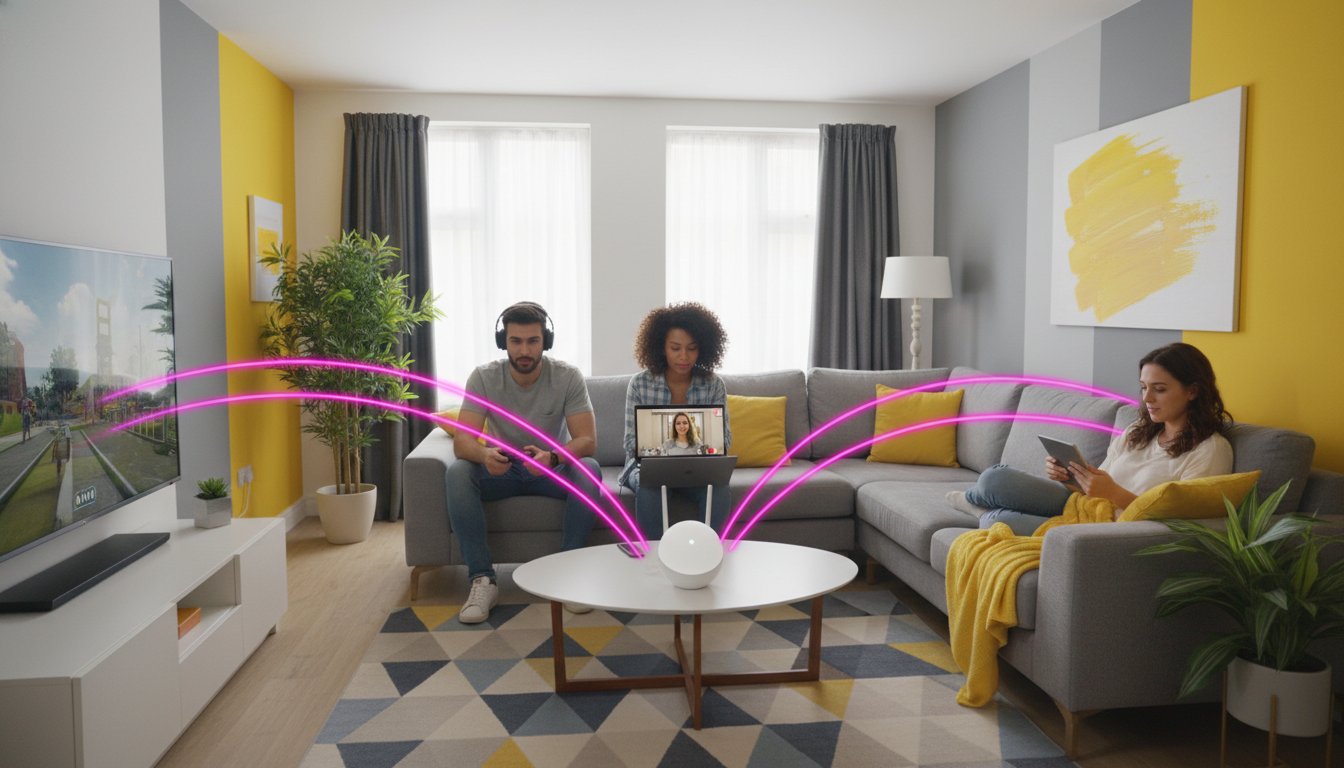
Why should your housemate’s 4K gaming session dictate whether you can finish a work call or stream your favourite show? Sharing a home shouldn’t mean sharing a single, struggling connection that fails the moment more than two people log on. You are likely tired of constant buffering, weak signals in upstairs bedrooms, and the monthly stress of chasing everyone for their share of the bill. Finding the right internet for shared house setups often feels like a compromise between speed and contract length, but it doesn’t have to be this way.
Discover how to choose, organise, and manage the perfect broadband connection for your household without the typical Wi-Fi battles or financial stress. This guide explores the latest Wi-Fi 7 hardware, flexible no-contract broadband deals, and the simple ways to ensure every room gets a perfect signal. We will break down how to align your contract with your tenancy whilst making bill splitting effortless. By the end of this article, you will have a clear roadmap to a reliable, high-speed home environment that respects everyone’s digital needs.
Key Takeaways
- Calculate your total household device load to determine if Superfast, Ultrafast, or Gigabit speeds are required to prevent buffering during peak times.
- Protect your budget by choosing student broadband deals or no-contract options that align with your tenancy length rather than restrictive 24-month terms.
- Optimise your internet for shared house by using Mesh Wi-Fi and central router placement to eliminate signal dead zones in top-floor bedrooms.
- Streamline monthly payments and avoid housemate arguments by using dedicated bill-splitting apps and designating a lead tenant for contract management.
The Shared House Internet Challenge: Why Standard Broadband Often Fails
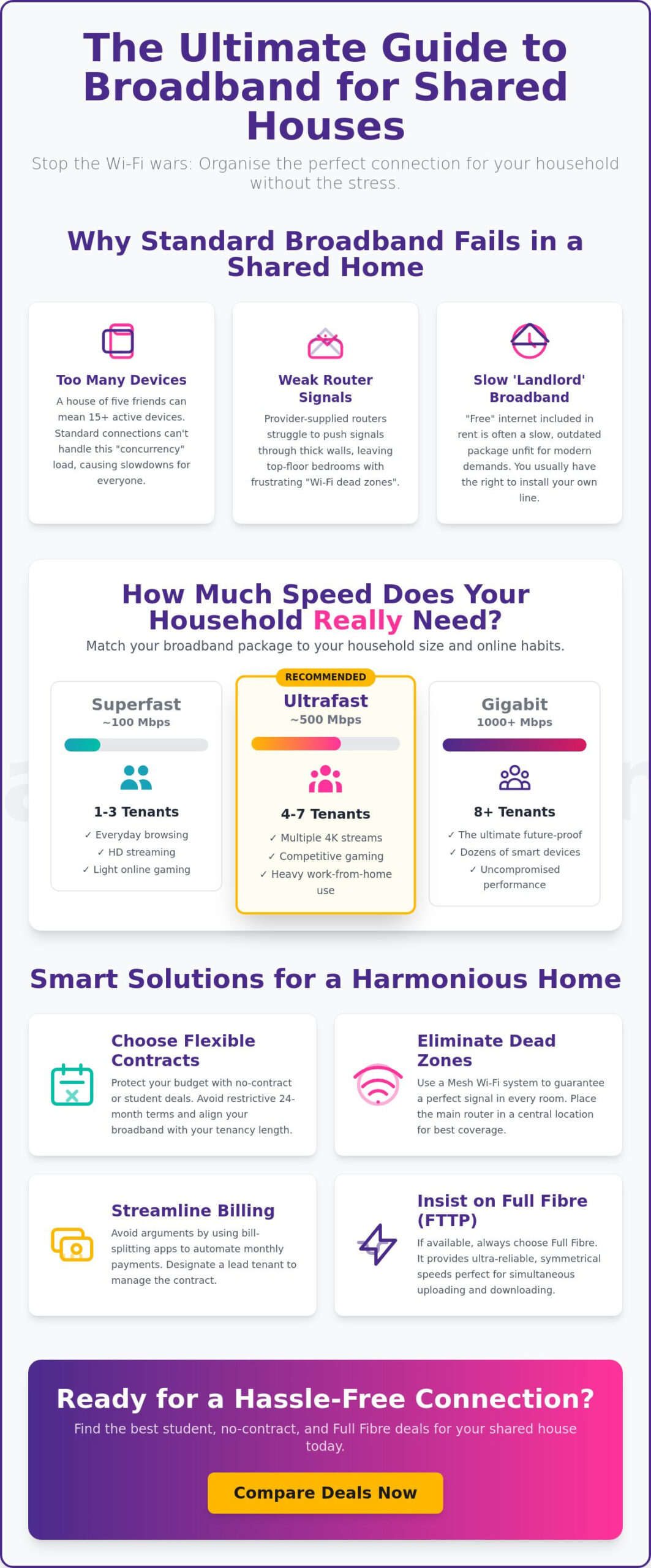
Your connection is the digital backbone of your home. Choosing the right internet for shared house living starts with understanding the “concurrency” problem. Most people calculate their needs based on the number of residents, but this is a mistake. In reality, you must count every laptop, smartphone, tablet, and smart TV. A house of five friends quickly becomes a network of ten to fifteen active devices. This creates a heavy load that standard connections simply cannot handle. To understand the technical baseline for these services, it helps to know what is broadband? in a modern, multi-user context.
By 2026, the benchmark for a functional household has shifted. If you have more than three tenants, anything less than a 200Mbps connection is a risk. This isn’t just about download speeds for Netflix. Upload speeds have become equally vital for students submitting large files and professionals working from home. High-latency connections lead to “bandwidth battles” where one person’s video call causes another’s game to lag. You can check your specific requirements on our internet speed guide to see if your current setup is under-provisioned for your group’s habits.
Landlord Wi-Fi vs. Private Installation
Many tenants rely on the “free” internet included in their rent, but this often leads to frustration. Landlords frequently opt for basic fibre or outdated ADSL packages to keep costs low. These services are unfit for 2026 demands. Check your tenancy agreement; you often have the legal right to install your own line, especially in Houses in Multiple Occupation (HMOs). Look for existing “Full Fibre” entry points in the hallway or living room. Installing a private line ensures you control the contract and the speed, providing the autonomy you need for a reliable connection.
The Problem with “Standard” Routers in Large HMOs
The free router provided with most basic packages is rarely powerful enough for a large property. These devices struggle to penetrate thick Victorian brick walls or reach top-floor bedrooms. In high-density urban areas like London, Manchester, or Birmingham, your signal also competes with dozens of neighbouring networks. This interference causes dropouts and slow speeds even if you pay for a fast package. Managing a high device count requires hardware that can handle multiple simultaneous streams. Without the right setup, your internet for shared house will remain a source of constant household arguments.
Choosing the Right Speed: How Many Megabits Does Your Household Actually Need?
Selecting the right speed for your home depends entirely on how many people live under your roof and what they do online. Choosing the best internet for shared house setups requires more than just picking the cheapest plan. While basic FCC broadband guidelines offer a baseline for individual users, a shared house needs a much higher threshold. For a small group of three tenants, a Superfast connection of around 100Mbps usually suffices for browsing and light streaming. However, once you move to a household of five or more, you should look at Ultrafast speeds of 500Mbps to avoid evening slowdowns. For large HMOs with eight or more occupants, Gigabit broadband is the only way to future-proof your setup for 2026.
Gigabit broadband represents the ultimate future-proof choice for 2026 house shares, providing enough capacity to handle dozens of devices simultaneously. When searching for the best internet for shared house, always check if Full Fibre (FTTP) is available. Unlike older copper-based systems, Full Fibre delivers data directly to your door via glass cables. This results in significantly better stability and symmetrical speeds. This is crucial when multiple people are uploading coursework or joining work meetings at the same time. If you want to see what is currently available at your address, you can use a full fibre broadband checker to compare broadband deals and find a package that matches your group’s requirements.
Calculating Your Household Usage Profile
To find your ideal speed, apply the “4K Rule”: allocate 25Mbps for every person likely to be streaming in Ultra HD at once. If four housemates watch separate 4K shows, that is 100Mbps gone before you even account for background updates or smartphones. Gamers in the house won’t care about the total speed as much as “ping” or latency. A high-bandwidth Gigabit connection helps ensure that a large download in one room doesn’t cause a lag spike in another. If you have several people working from home, prioritise a connection that offers high upload speeds to keep video calls crisp during the 9-to-5 rush. You can check your potential speed here to see what your current line can actually deliver.
Fibre vs. Full Fibre: Why the Distinction Matters
The difference between Fibre (FTTC) and Full Fibre (FTTP) is often misunderstood. FTTC, or “Fibre to the Cabinet,” uses fibre cables to the green box on your street but relies on old copper wires for the final leg to your house. This makes it prone to “peak time” slowdowns when your neighbours are also online. In contrast, FTTP (Full Fibre) provides a dedicated line that maintains its speed regardless of local traffic. It’s the gold standard for stability amongst multiple users. Choosing a Full Fibre package ensures your household remains connected even when the whole street is streaming the latest blockbuster.
Flexibility First: Comparing Student Deals and No-Contract Broadband
Standard broadband providers often try to lock households into 18 or 24-month contracts. For most renters, this is a significant financial trap. If your tenancy only lasts nine or twelve months, you face massive exit fees when you try to cancel early. Choosing the right internet for shared house living means prioritising flexibility as much as speed. You need a plan that aligns with your lifestyle, not one that forces you to pay for service in an empty property over the summer.
Flexible options allow you to maintain control over your finances. Whilst a long-term contract might offer a lower monthly price, the total cost of ownership often skyrockets once early termination charges are applied. You can compare no-contract broadband deals to find a plan that lets you leave whenever you need. This autonomy is essential for modern shared living where housemate situations or tenancies can change unexpectedly. If your household is open to bundling internet with premium TV content, exploring sky broadband deals can also reveal significant savings compared to taking out separate subscriptions for streaming services.
The 9-Month Academic Plan
Student broadband deals are specifically designed to mirror the university year. These plans usually run for nine months, starting in August or September and finishing just as your final exams end. They are the primary solution for student houses. Most providers require a valid student ID or university email to qualify. These packages often include “free gifts” like retail vouchers or tech accessories to entice new sign-ups. If you decide to stay for the summer, many companies offer easy extensions or rolling monthly transitions to keep you connected whilst you wait for your next move.
Rolling Monthly Contracts for Young Professionals
If you aren’t a student but still have a short-term tenancy, rolling monthly contracts provide the ultimate freedom. These plans operate on a 30-day notice period. You pay a slightly higher monthly rate in exchange for the ability to cancel at any time without penalty. This is particularly useful for young professionals or those in temporary accommodation. Many of these options also offer “No Credit Check” terms. This is vital for international students or anyone with a thin credit file who might be rejected by traditional providers. Always calculate the setup fees alongside the monthly cost to understand the true value of your internet for shared house setup. For a comprehensive breakdown of all your options, our guide to short term broadband covers rolling contracts, 5G hubs, and student plans with transparent costs and next-day setup options.
Eliminating Wi-Fi Dead Zones and Managing Bandwidth Battles
Your router location is the difference between a high-speed hub and a source of constant frustration. Most people tuck their router into a corner of the living room, but this is a mistake. Walls and furniture absorb the signal before it reaches the rest of the property. For a reliable internet for shared house setup, place the router in a central, elevated position like a hallway shelf. This ensures the signal has the shortest path to every bedroom. If you find one housemate’s massive game download is slowing everyone else down, look into Quality of Service (QoS) settings. This feature allows you to prioritise traffic for video calls and streaming over background updates. It effectively ends “bandwidth battles” by ensuring essential tasks always get the bandwidth they need, regardless of what’s happening in the next room.
Check out our sibling article, Broadband for Shared Houses: The Ultimate 2026 Guide, for more technical tips. If your current hardware isn’t up to the task, it might be time to compare broadband deals to find a provider that includes more advanced router technology.
Mesh Wi-Fi vs. Powerline Adapters
Eliminating dead zones doesn’t require drilling holes or trailing cables through the house. Mesh Wi-Fi systems use multiple “nodes” to create a single, seamless network that covers every floor. This is a “no-drill” solution that protects your tenancy deposit whilst providing a strong signal in every room. If you live in a property with thick stone walls that block wireless signals, Powerline adapters are a better alternative. These devices send data through your home’s existing electrical wiring, bypassing the physical barriers that kill Wi-Fi. For a modern shared home in 2026, look for hardware that supports Wi-Fi 6 or 6E standards. Wi-Fi 6E is particularly effective in crowded urban areas because it uses the 6GHz band, which is less congested than traditional frequencies. This means fewer dropouts and more consistent speeds for everyone.
Security and Privacy in a Shared Environment
Managing your internet for shared house requires a proactive approach to security. Never leave the default password on your router; it is the first thing a hacker will try. Change it to something unique that everyone in the house knows but is difficult for outsiders to guess. You should also set up a “Guest Network” for visitors. This keeps your main bandwidth reserved for tenants and prevents guests from accidentally accessing shared devices like printers or smart speakers. If you’re concerned about privacy amongst housemates, encourage everyone to use an individual VPN. This ensures your personal browsing habits remain private even on a shared connection. A few simple tweaks to your router settings can transform a chaotic network into a secure, high-performance system that respects everyone’s digital boundaries.
Navigating Shared Billing and Setting Up Your New Connection
If your current connection isn’t meeting the demands of the household, don’t feel trapped by a poor service. The UK’s “One Touch Switch” process has made moving between providers significantly easier. Your new provider now handles the cancellation of your old service, which minimises downtime and prevents double-billing. Before you make the jump, find the best broadband deals for your house that offer the capacity needed for your specific device load. Switching is a pragmatic way to solve persistent lag issues without waiting for your tenancy to expire.
Managing the Financial Liability
Broadband contracts are tied to an individual rather than the property itself. If a housemate moves out early, the lead tenant remains legally liable for the full monthly cost. Discuss this scenario with the group before signing the contract; you might agree that the departing tenant must find a replacement or continue paying their share. Keep an eye out for annual price hikes, which many providers apply in the spring. Communicate these changes to the group immediately to adjust your standing orders and avoid a shortfall. A simple written agreement amongst housemates can provide peace of mind and protect everyone’s credit score.
The 2026 Setup Checklist
To avoid “dark weeks” without Wi-Fi, check the availability for your new address at least four weeks before you move in. High-demand urban areas often have long waiting lists for engineer appointments. If your property has restricted access or requires a new fibre installation, coordinate with your landlord or letting agent to ensure the engineer can reach the master socket. Once the installation is complete, perform a final speed test in every room. Don’t let the engineer leave until you’ve verified that the signal reaches the furthest bedrooms. This final check ensures your internet for shared house is fully functional from the moment you unpack your first box.
Take Control of Your Household Connectivity
Sharing a home shouldn’t involve daily arguments over buffering or unfair billing. You now have the tools to choose a connection that matches your group’s specific usage profile and tenancy length. Prioritise Full Fibre for peak-time stability and use mesh hardware to eliminate signal dead zones in every bedroom. By selecting a plan that fits your lifestyle, you avoid the trap of restrictive contracts and expensive exit fees. Finding the perfect internet for shared house living is about combining high-speed performance with total financial autonomy.
We offer an expert comparison of the UK’s fastest Full Fibre providers to help you make an informed choice. You can access exclusive 9-month academic plans and flexible no-contract options that respect your budget and move-out dates. Our unbiased advice ensures you find a reliable service without the typical stress of traditional broadband giants. Compare the best student and shared house broadband deals today to secure a stress-free connection for your home. Your ideal digital setup is only a few clicks away.
About the Author: Alex Reed is a professional technology writer specialising in UK telecommunications and consumer advocacy. Alex focuses on helping renters and households find transparent, flexible digital solutions that fit modern lifestyles.
Frequently Asked Questions
Can I get my own broadband line if my landlord already provides Wi-Fi?
You can usually install a private line even if your landlord provides a basic service. Check your tenancy agreement for clauses regarding utility installations; most landlords won’t object to a “no-drill” fibre setup that improves the property’s value. Having your own line ensures you control the speed and security of your connection. It also prevents you from sharing bandwidth with other tenants in separate flats who might be using the same landlord-provided hub.
What is the best broadband speed for 5 people in a shared house?
A household of five people needs a minimum of 500Mbps Ultrafast broadband to function smoothly. This speed provides enough capacity for everyone to stream in HD or 4K simultaneously without causing buffering. If your group includes heavy gamers or several people who work from home, a Gigabit plan is a better choice. Choosing the right internet for shared house speed ensures that background updates don’t interrupt important video calls or competitive gaming sessions.
Are there broadband contracts that only last for the academic year?
Yes, dedicated 9-month student broadband deals are designed specifically for the academic cycle. These contracts typically begin in September and end in June, matching the time you actually spend at university. They are a pragmatic choice that saves you from paying for an empty house during the summer holidays. Whilst the monthly rate might be slightly higher than a standard 24-month deal, you’ll save money overall by avoiding early exit fees.
How do we split the broadband bill fairly between housemates?
The fairest method is an equal split amongst all residents, regardless of individual usage. You should designate one “Lead Tenant” to manage the account and have everyone else set up a standing order to their account. Use bill-splitting apps like Splitwise to track payments and send automated reminders to the group. This transparent approach reduces social friction and ensures the person whose name is on the contract isn’t left covering the full cost alone.
What happens to the internet contract if I move out of the shared house?
The person whose name is on the contract remains legally liable for the bill even after moving out. You can contact your provider to see if they allow a “Transfer of Ownership” to a housemate who is staying. If this isn’t possible, you might have to pay an early termination charge to close the account. This is why no-contract or student-specific plans are so valuable for renters; they offer the liberation to leave without heavy penalties.
Do I need a landline for shared house broadband in 2026?
You don’t need a traditional landline for broadband in 2026. Most modern providers now offer “data-only” lines through SOGEA or Full Fibre technology. These services deliver high-speed internet without the unnecessary cost of a telephone number or monthly line rental. It’s a more efficient and cost-effective way to manage your internet for shared house. You only pay for the connectivity you actually use for streaming, gaming, and working from home.
Will gaming lag if my housemates are all streaming Netflix at once?
Lag only occurs if your connection’s total bandwidth is saturated or if your router can’t manage multiple streams effectively. A fast Full Fibre connection usually handles several 4K streams and gaming at once without any noticeable issues. To be safe, use a router with Quality of Service (QoS) settings to prioritise gaming data. This ensures your ping stays low and your competitive edge remains intact even when the rest of the house is binge-watching the latest series.
How can I improve the Wi-Fi signal in my top-floor bedroom?
Improving a signal in a top-floor bedroom is easiest with a Mesh Wi-Fi system. Place a node on the middle-floor landing to act as a bridge between the main router and your room. This creates a seamless network that bypasses the thick walls and floors that usually block signals. If your house has very old, dense brickwork, try a Powerline adapter instead. This uses your home’s electrical wiring to carry the data signal directly to your bedroom socket.
About the Author: Alex Reed is a professional technology writer specialising in UK telecommunications and consumer advocacy. Alex focuses on helping renters and households find transparent, flexible digital solutions that fit modern lifestyles.

Article by
Elaine Lang
Elaine has over 20 years across Marketing, Communications and Public Relations in the UK. She has worked across large UK corporations, including Commercial Banks and Airports, to online consumer finance and technology solutions. Elaine has post graduate qualifications in Marketing from the Chartered Institute of Marketing (CIM) and the Industry of Direct Marketing (IDM). She is a lifelong feline fan, sharing her home with around 4-6 cats for many years. This of course can be a challenge when trying to work at home, as they like to try to help!